Retail AI Image Recognition (IR) is set to grow by around 23.4% annually until 2037. This indicates that the market is full of IR solutions for the FMCG sector. Outstanding solutions, if you don’t know a thing about the technology or what realistic expectations regarding such a solution should be.
Learn the basics and the logic behind it all, and the market will stop looking so overwhelmingly promising.
You’ll start to distinguish the flashy demo IR solutions from the ones truly built to solve real execution problems.
In this guide for retail leaders and brands, we explain:
- how Image Recognition for retail operates behind the scenes
- what capabilities a modern IR solution should have
- the benefits it offers
- implementation best practices
Why Understanding Image Recognition for Retail Execution Matters
Some Image Recognition providers rely on outdated manual processes, others overpromise with marketing, and few truly solve real retail execution challenges.
Retail leaders and manufacturers must understand how the technology works to choose a solution that delivers real results in stores.
Picture two scenarios.
- An Image Recognition provider that’s been on the market for years.
Its portfolio includes big-name retailers and manufacturers from your category, alongside global fast-moving consumer goods giants. But when you dig deeper, you realize no real artificial intelligence is running behind the scenes. The system hasn’t evolved, and most of the work is still manual – just people behind the curtain doing image processing.
- A startup with slick branding and a modern website.
It showcases an impressive demo and claims to provide “100% accuracy” with “fully autonomous shelf monitoring.” But in real stores, it shows glare, misreads, slow support – it’s more pitch than product.
Neither the legacy player resting on past glory nor the overhyped newcomer promising the moon will solve your execution problems.
Your primary focus should be on the solution itself and whether it’s built for your retail execution problems.
You will receive the requested information right in your inbox
Technologies Behind Image Recognition in Retail
Image Recognition systems are built differently across industries. The underlying technologies remain mostly the same, with minor adjustments depending on the sector or application.
Let’s discuss the shared basics before examining how these technologies come together specifically for retail.
Artificial Intelligence (AI)
AI is the basis of Image Recognition. It helps systems make sense of what’s on the shelf: identifying products, reading price tags, and verifying layouts. Instead of manual checks, it processes thousands of images in seconds and highlights areas that require attention.
Machine Learning (ML)
With every new image, machine learning adapts to packaging updates, label changes, or different shelf setups. The more it sees, the sharper and more flexible it becomes.
Deep Learning (DL)
Deep learning is a subset of ML that takes it further, using layered neural networks to spot complex patterns. It recognizes items on the shelf and their arrangement, giving retailers near-human accuracy.
Internet of Things (IoT)
IoT links Image Recognition to the store floor. Cameras, phones, and sensors capture images and send them directly to central systems, providing teams with a real-time view of execution and stock.
Python
Python powers many Image Recognition systems. With libraries like TensorFlow, PyTorch, and OpenCV, it’s fast to develop, easy to customize, and simple to link with other retail tools.
How Image Recognition Works in Retail Environments

You probably know the basics. Sales reps are provided with devices like smartphones or tablets. Not just any devices, but ones that meet minimum standards for camera quality, processor power, and other characteristics needed to run the technology.
The next step is for the reps to head into the field. They visit stores, open their IR app, and snap photos of the shelves. Then, image processing kicks in.
Let’s discuss what happens within the system before, during, and after those photos are taken.
Retail Image Recognition Training and Continuous Retraining
To recognize products accurately, Image Recognition systems must first be trained on high-quality, labeled images of each SKU.
Like students learning to identify animals from flashcards, neural networks learn by analyzing examples and improving through feedback.
For reliable results, each item needs about 100 images – quality matters more than quantity.
When real photos aren’t available, synthetic data can fill the gaps, though real-world images produce better results.
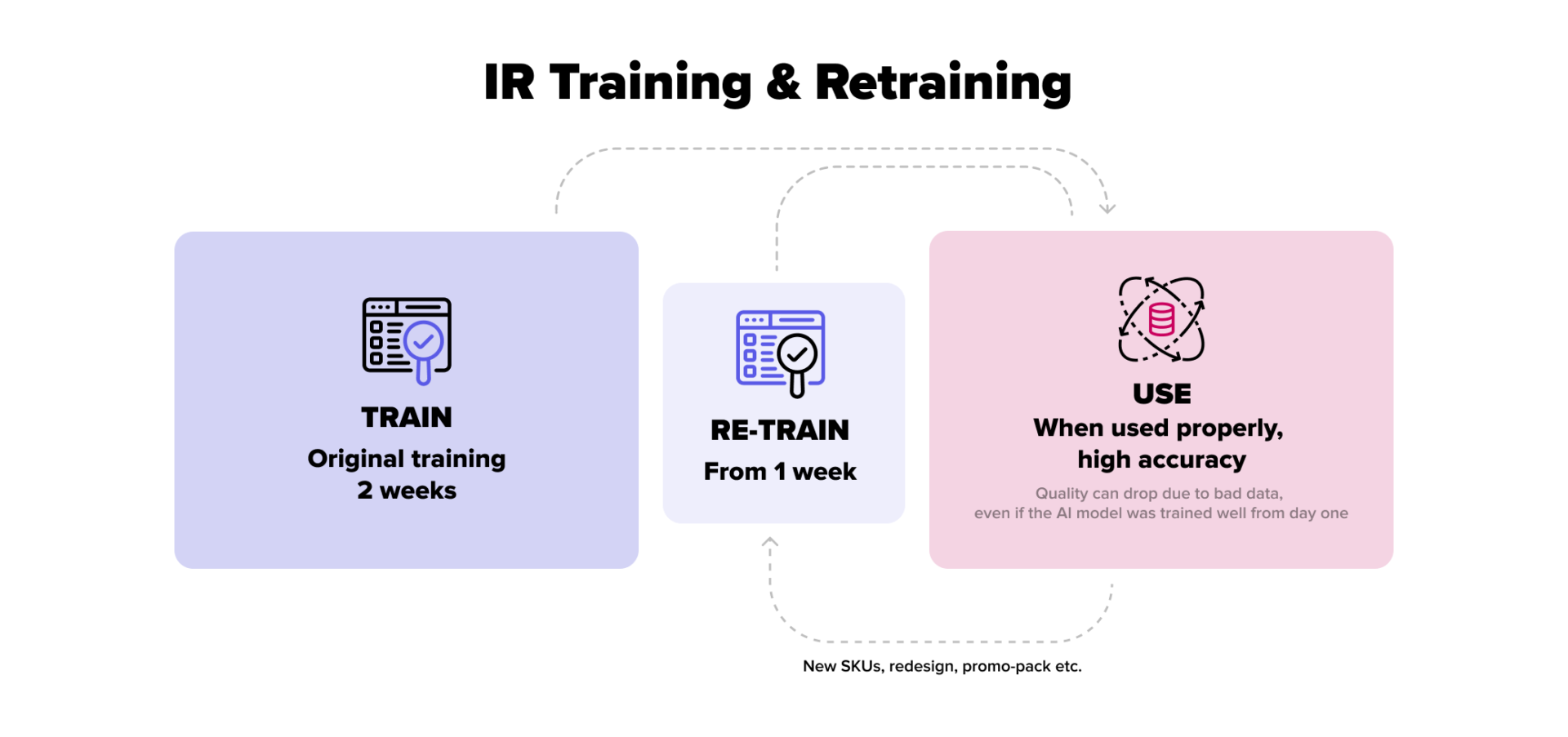
Training typically takes about two weeks. Once complete, the model is ready for live use.
Retraining is essential since shelves are constantly changing.

As new products or packaging appear, the system updates itself with fresh images from store visits. Retraining every 2–3 weeks keeps accuracy high, prevents errors, and ensures the model reflects real shelf conditions.
Business Rules, KPIs, and Execution Logic
Detecting a product on the shelf is just the start; it doesn’t give the business much. Vendors turn those detections into insights by applying calculations and business rules.
These rules cover share-of-shelf goals, product placement, promo execution, planogram compliance, pricing accuracy, and more. Some vendors use a fixed set of rules, while others let you customize logic to match your sales strategy.
Once a product is recognized, the rules are applied, KPIs are calculated, and the results are ready for review.
Reporting and Analytics for Retail and Manufacturers’ Teams
A modern retail image recognition solution provides results immediately, with key calculations included on the spot – that’s the industry standard.
If you only see the outcome hours later or the next day, that’s a clear red flag. Something’s off with the system.
The data can also be pushed straight into your SFA system, making it available across the rest of your tools. Most importantly, reporting doesn’t have to be limited to standard templates – custom reports can be built to match your specific business needs.
In more advanced systems, reporting goes beyond basic outputs. These solutions offer tailored recommendations, operational insights, and deeper calculations to support decision-making, to speed up the retail execution process, and simplify the sales team’s job.

Understanding how Image Recognition for retail works and learns isn’t enough to have realistic expectations towards the technology. What really makes the difference is knowing its limitations.
Real-World Limitations of Retail Image Recognition (And How to Work Around Them)
Image Recognition is truly remarkable technology, but even the most progressive IR solution can’t go beyond the boundaries of the visual data it receives. Let’s discuss those boundaries.
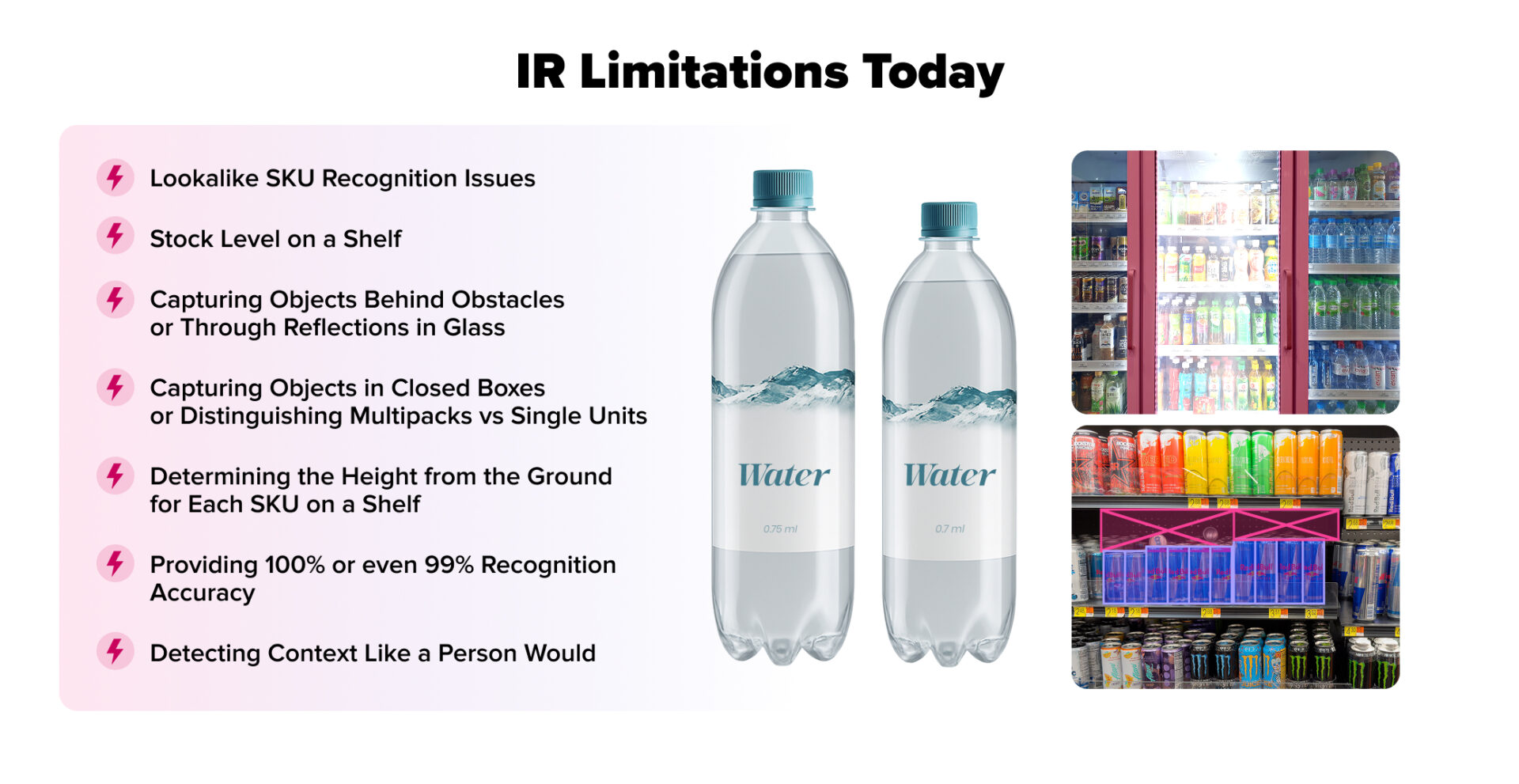
Lookalike and Similar SKU Challenges
When multiple products share the same packaging design, differing only in small details such as flavor text, weight, or variant labels, it becomes challenging for the system to distinguish them.
Moreover, things get even trickier when those subtle details are printed in small text or hard-to-see areas. Glare from store lighting, shadows cast by nearby products, or low-resolution images can make that text unreadable; therefore, recognition is almost impossible.
Read also about SKU-level forecasting
Detecting Stock Levels and Gaps on Shelves
Let’s say a shelf has three juice bottles lined up one behind the other, but only the front one is fully visible. Most Image Recognition systems will detect just that first bottle, because they can only see what’s outward.
If only the front row is visible, FMCG Image Recognition might assume there’s only one item when there are actually three.
Objects Behind Obstacles, Reflections, and Complex Layouts
AI Shelf Image Recognition cannot see through physical objects or reflective surfaces. If a shelf has glass doors or if products are behind another object (like a sign, basket, or consumer’s hand), the system can misinterpret or completely miss the item.
Multipacks vs Single Units and Closed Boxes
A shrink-wrapped 6-pack of soda and a single can with identical branding may be treated as the same product. That’s because AI Product Recognition can’t look inside packaging. And if multipacks and single items look the same from the outside, the system may not tell them apart.
Shelf Position and Height Detection Constraints
IR won’t tell you if a product is placed at eye level, waist height, or near the floor – information that matters in retail execution. Though it can usually determine which shelf an item is on, it doesn’t have the context to calculate how high that shelf is from the ground.
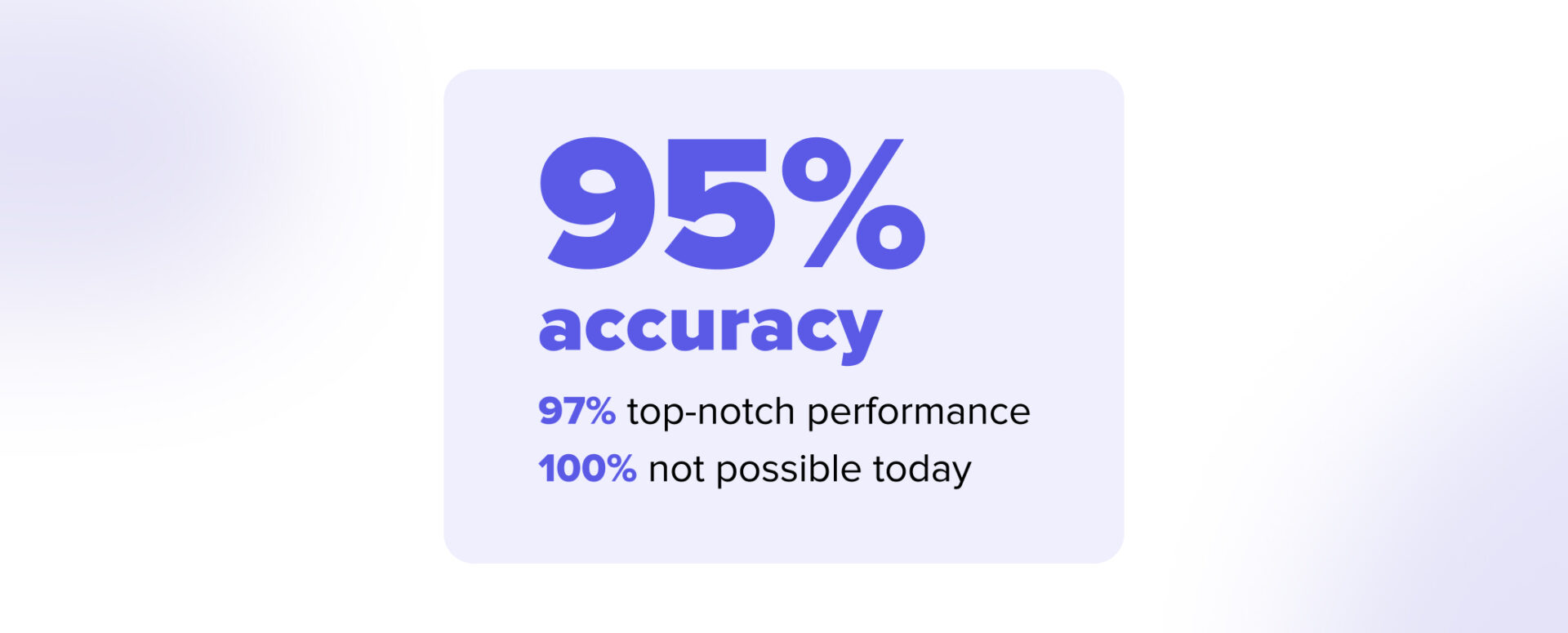
Why 100% Accuracy Is Not Realistic in Retail Environments
Real-world photos may be blurry or taken in poor lighting conditions. Some of the new packaging hasn’t been retrained yet. All of these factors reduce accuracy.
The industry standard is 95%, which is the best you can find on the market.
Interpreting Context vs Raw Pixels
A person might spot that toothpaste is in the deodorant section, but some IR solutions might just report it as “planogram mismatch” or “cross-category placement error.” IR doesn’t understand context; it recognizes patterns, not meaning.
Enough theory. Let’s see what the real-world innovative Image Recognition for retailers actually delivers.
Benefits of Image Recognition for Retail
When choosing an Image Recognition solution that adheres to industry standards, it offers the following advantages for your retail and field operations.
End-to-End Shelf and Category Visibility
Modern IR systems go far beyond barcode detection. They can identify a wide range of in-store elements that affect execution and compliance, including SKUs, price tags, and POS materials, as well as retail equipment, bar fixtures, and pallets.
Near Real-Time, Actionable Field Insights
Captured shelf images are automatically processed into recognition reports, which calculate key performance indicators and highlight priority issues. Depending on processing needs, insights can be available immediately on the device or delivered after additional analysis. Some systems are built to work both online and offline, ensuring reliability in all field conditions.
Stronger Planogram Compliance and Promo Execution
By generating a “realogram” (a real-time digital replica of the actual shelf layout), IR technology allows direct comparison between the real execution and the planogram or promotional guidelines. This helps identify missing SKUs, incorrect placements, and compliance gaps more efficiently.
Augmented Reality
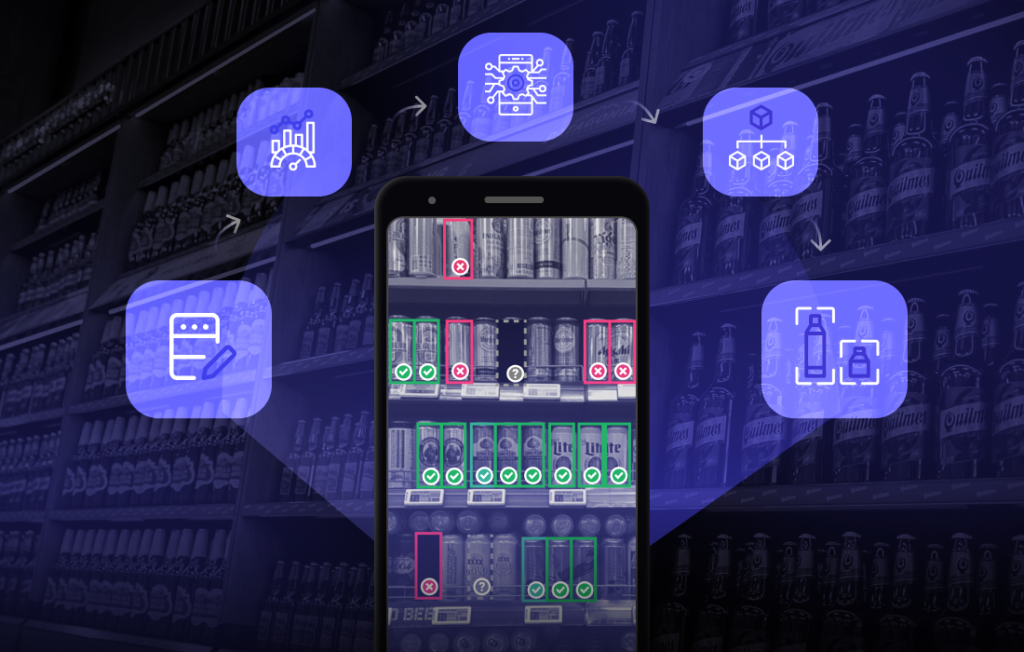
IR enhances the field rep’s experience by overlaying visual cues on the live camera view, like showing missing SKUs or highlighting incorrect placements, directly on the screen, making in-store corrections faster and easier.
Seamless Integration Into Existing Retail Systems
IR can be embedded, integrated, or run as an independent app, depending on your setup. This flexibility enables organisations to incorporate recognition capabilities into existing workflows without disrupting established processes.
Guided Workflows for Store Visits
This AI-driven feature analyzes insights from an Image Recognition solution and identifies actions that can be performed immediately in-store. It’s especially valuable for new staff members, who may not yet have the practical experience to spot issues or know exactly what to do.

Faster Rollout and Time-to-Value
Training and deploying an IR model can be completed relatively quickly, often within several weeks. The process typically involves collecting and labeling images, testing for accuracy, and validating results in real-world store environments.
Reliable Accuracy for Real-World Conditions
State-of-the-art IR solutions reach accuracy levels of up to around 95% in identifying products and shelf elements under varied lighting, angles, and environmental conditions. This level is generally considered the industry benchmark for balancing precision and scalability.
Implementation Scenarios and Best Practices
Rolling out Image Recognition is a change in how teams work with data and make in-store decisions. Success depends on planning, testing, and aligning both technology and people from the start.
Recommended Steps for Pilots and Rollouts
A pilot should reflect the real rollout, not just 10–20 SKUs. Small tests show basic accuracy, but only a full-scope pilot (all SKU types, price tags, POSM, secondary placements) reveals true performance and operational gaps.
Before starting, define clear decision criteria:
- which products and competitors to include
- whether the system must recognize price tags, POSM, or extra placements
- target accuracy levels
- number of users involved
- required KPIs, reports, and integrations
Agree on the photo set and timeline to reach acceptable accuracy. Early results are often lower; both the model and field users improve as more images are collected. Most solid pilots run 6–8 weeks in a specific region to measure impact reliably.
Typical Field Visit Workflow with Image Recognition
When the system is set, a field visit with IR follows a simple rhythm: capture, process, act.
- Capture: The rep takes shelf photos or videos using a mobile device.
- Process: The system analyzes images automatically, recognizing SKUs, prices, and placements.
- Act: Results appear instantly, allowing the rep to correct issues such as missing products, wrong facings, or outdated promo materials.
Ensuring Adoption Across Field and HQ Teams
Getting everyone on board with new technology comes down to trust, simplicity, and visible results.
Field Teams:
- Show how Image Recognition (IR) simplifies day-to-day tasks, with less busywork and less oversight.
- Offer interactive training and interfaces that feel intuitive from the start.
- Celebrate early wins to keep momentum, like quicker store visits, fewer mistakes in reporting, data that actually helps them make decisions.
HQ Teams:
- Set KPIs that match what field teams experience on the ground.
- Use IR data to uncover real opportunities, not just fill dashboards.
- Make sure everyone is working off the same numbers to avoid confusion or duplicated efforts.
When field and HQ teams are aligned and rely on the same data, IR stops being a standalone tool and becomes part of the daily workflow.
Conclusion
No matter what solution you’re planning to implement – IR, TPM, Distributor Management System – there are always certain industry standards to look out for. In this article, we tried to break down how the solution that checks all of the boxes operates and what those boxes are.