The difference between CRM and SFA is blurry. Most CRM or SFA systems can perform the overlapping basic functions. And almost each of them can be customized and, basically, rebuilt into the other.
Does that mean you don’t need to care about the definitions and unique roles?
Quite the opposite:
- Customization may be pricy.
- Different specific goals need different specific tools.
- Wrong choice = wrong workflows.
- What fits now may block business growth later.
This article will show you how to be more specific when choosing a CPG software solution that fits your needs, and how to consider all aspects – its positioning, features, and potential for future customization.
Introduction: CRM vs SFA – Why the Confusion Exists
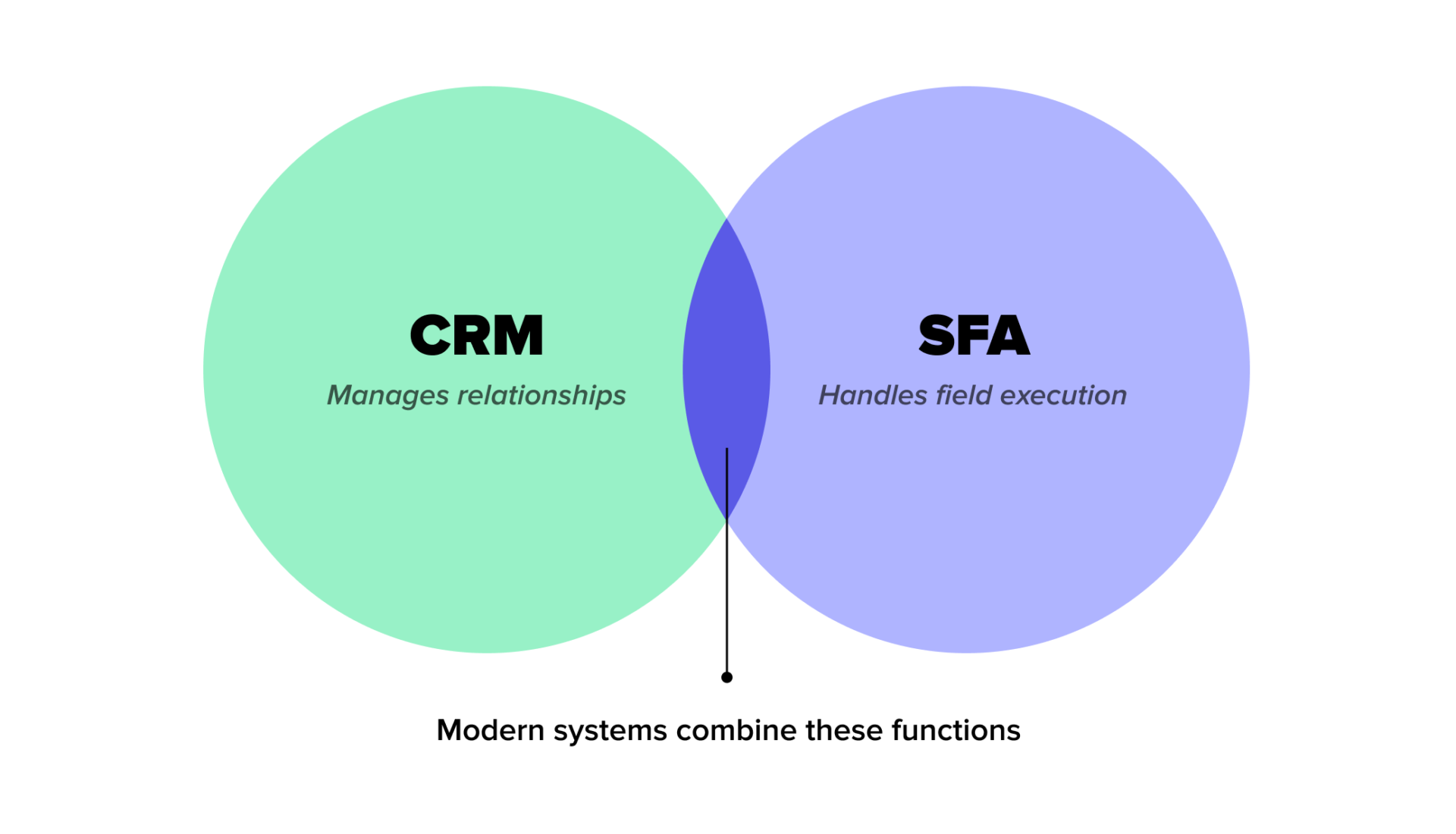
Today’s systems often bundle the capabilities of both solutions together.
This is happening not only because the sales process has become faster, more data-driven, and more complex. It is mainly driven by how FMCG teams are structured.
Team models differ from company to company.
Some brands follow a classic setup. Strategy, key accounts, and field execution are handled by separate teams. These companies often need separate tools for CRM and SFA.
Others use hybrid structures. One team (or even one person) may manage relationships, negotiations, execution, and reporting. For them, all-in-one systems make more sense.
Vendors adapt to these realities and often combine the functions of both systems into one CRM/SFA tool. However, one function typically dominates.
Why Do We Have the Sales Force Automation vs CRM Discussion at All?
Vendors know the difference between SFA and CRM. And often use it to their advantage.
Some tools are sold as “all-in-one” to win deals, not to meet real needs.
Others stretch their positioning to appear in more tenders.
What was once two distinct product types may now be used solely for branding, not for function. This is why brands must understand the true purpose of each system.
What Is CRM (Customer Relationship Management)?
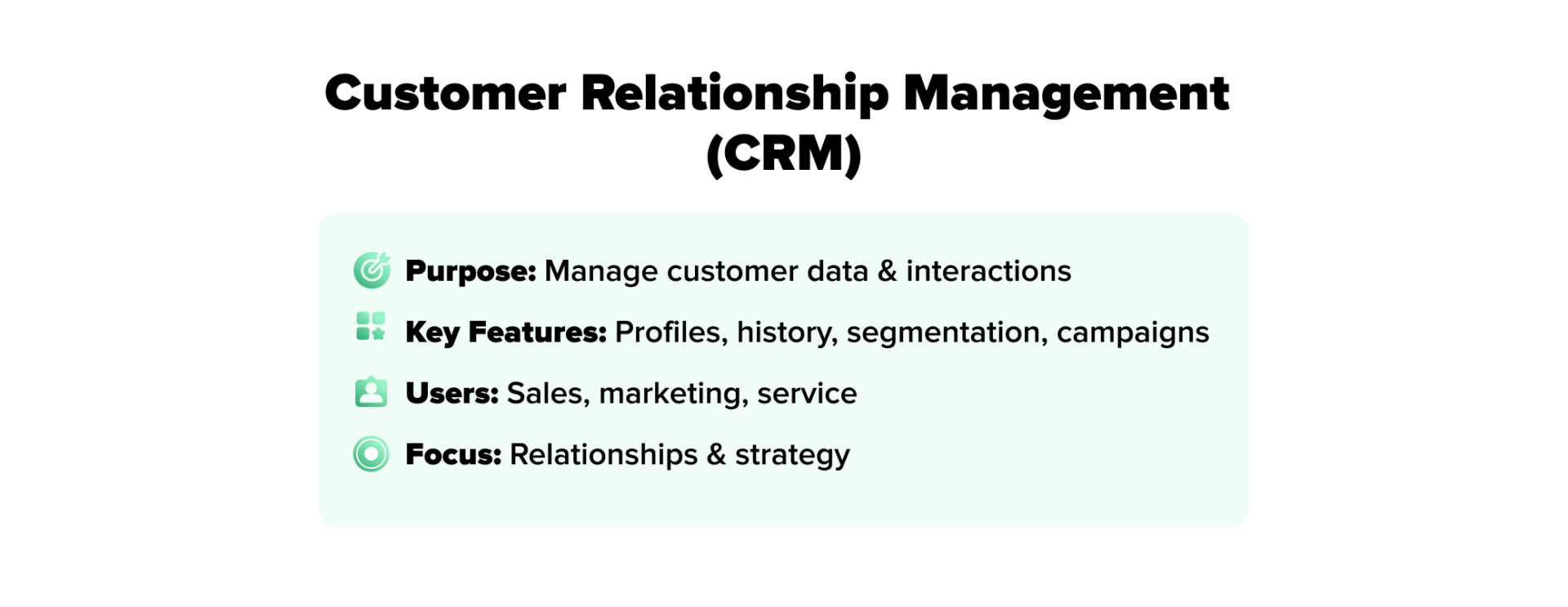
Customer Relationship Management (CRM) is a system that centralizes customer data and tracks every interaction across departments.
It helps maintain relevant and personalized communication to build long-term relationships.
Core Purpose of a CRM System
The core purpose of a CRM is to store and organize all customer data in a single system. It records interactions, purchase history, preferences, and communication.
With this information in place, Key Account Managers and sales management better understand customer behavior and plan how to engage each segment.
When contact people change companies, a CRM system helps brands keep context, not just names.
Key CRM Features
- Centralized customer profiles – store company details, contacts, roles, and decision-makers in one place
- Full interaction history – log calls, emails, meetings, deals, and issues
- Customer segmentation – group customers by behavior, value, region, or needs
- Campaign and targeting tools – plan and track personalized communication for better customer experience
- Analytics and dashboards – analyze customer trends and retention, and Key Account Manager team performance
- Task and follow-up tracking – schedule actions and ensure nothing is missed
Who Typically Uses CRM
CRM systems are mainly used by teams focused on customer relationships and strategy:
- Key Account Managers, to track relationships with major clients
- Customer service teams, to manage support and service requests for better customer satisfaction
- Sales managers, for pipeline visibility and performance tracking
- Marketing teams, for campaigns and customer segmentation
What Is SFA (Sales Force Automation)?

Sales Force Automation (SFA) is a system that automates routine sales tasks. It helps reps plan routes, log visits, place orders, and follow standard processes.
Core Purpose of Sales Force Automation
The goal of FMCG Sales Force Automation software is to increase speed, consistency, and control in field sales – for both sales reps and back-office managers.
SFA guides sales reps through their daily work, enforces processes, and ensures that required actions are completed.
The data collected in the field is automatically structured, validated, and sent to the back office, giving managers real-time visibility into execution, compliance, and performance.

Key SFA Features
- Visit planning and route optimization
- Task and checklist management
- Order capture and catalog access
- Price lists, discounts, and promo execution
- Photo capture and in-store reporting
- Real-time sync with back-office systems
- Performance tracking and compliance control
Who Typically Uses SFA
SFA is mainly used by people responsible for execution in the field:
- Field sales representatives
- Merchandisers
- Sales supervisors and team leads
- Trade marketing execution teams
- Regional sales managers
Key Differences Between SFA and CRM
The real difference between Sales Force Automation and CRM is not in single features, but in how each system supports workflows, teams, data usage, and automation.
Below, we break down these differences across five key dimensions.

SFA vs CRM Scope and Focus
The CRM and SFA difference in focus is that SFA handles day-to-day sales execution, while CRM helps manage customer relationships over time.
CRM vs SFA Functional Coverage
SFA traditionally covers operational sales functions:
- visit planning
- product availability checks
- promotion execution
- in-store data capturing
- KPI calculation
- reporting (analytics & dashboards)
CRM usually covers broader customer-related functions:
- contact management
- communication history
- marketing campaigns
- customer segmentation
- support workflows
SFA vs CRM Users and Departments Involved
SFA is mainly used by field sales teams and their direct managers.
CRM is used by multiple departments. These include sales, marketing, customer support, and sometimes finance. It acts as a shared customer database for the whole organization.
CRM vs SFA Data and Insights
In theory, there’s a clear distinction:
- SFA generates operational data (visit frequency, planogram compliance, and execution quality).
- CRM stores relationship data, such as contact history, preferences, or responses to campaigns.
This classic separation might make you think that SFA has little impact on strategy. In reality, execution data is also highly strategic.
Case in Point: Using SFA Insights to Redesign Field Work
One of our clients, an international pet food producer, Kormotech, has been using our SFA solution, SalesWorks, for many years.
The system showed that the sales team spent 75% of each store visit on manual order-taking. Each visit lasted about 25 minutes, which left little time for proper execution, upselling, or relationship building.
To use visit time with greater efficiency, the company redirected a big part of routine ordering to a digital channel – a B2B eCommerce platform.

SFA vs CRM Automation Level
Both SFA and CRM are used as automation tools. However, SFA often automates routine sales tasks, while CRM – customer communication and internal processes (such as email flows, service tickets, and reminders).
Which System Serves as the Core for FMCG Tools?
This question matters because FMCG operations rely on many specialized systems. Management of sales territory, orders, promotions, shelf checks, stock, pricing, and reporting are often handled by different tools. Together, these tools form an ecosystem.
But an ecosystem still needs a core system – the central point where data flows together, workflows are controlled, and daily operations are managed.
In the CRM vs SFA comparison, SFA is usually the better core system.
It is built around field execution and daily operations, which makes it a natural hub for integration.
SFA connects easily with specialized tools such as:
- DMS – shows stock, pricing, and orders in real time
- FMCG Image Recognition solution – uploads shelf photos and planogram compliance directly into visit reports
- Trade Promotion Management software (TPM) – ensures promotions are executed as planned
- ERP – syncs orders, invoices, and product data automatically
CRM can integrate with marketing, email, or customer support tools, but it struggles with real-time execution, offline visits, shelf-level data, and route planning.
Benefits of SFA
- Faster sales execution
- Standardized workflows for all sales reps
- Fewer manual errors
- Less time spent on admin tasks
- Real-time field visibility
- Better control over processes
- Higher discipline in execution
- Easier scaling of sales teams
- Better use of sales resources
- Serves as a hub for FMCG integrations (DMS, TPM, Image Recognition, ERP)
Benefits of CRM
- One central customer database
- Full history of customer interactions
- Better customer segmentation
- Personalized communication
- Higher retention
- Better cross-team coordination
- More structured sales pipelines
- Better customer insights
- Long-term relationship tracking
- Stronger customer loyalty
CRM vs SFA Comparison Table
| SFA | CRM | |
| Focus | Field sales execution | Customer relationship management |
| Key Functions | Visit planning, order capture, promo execution, and reporting | Contact management, campaigns, customer segmentation, support |
| Users | Sales reps, merchandisers, supervisors | Key Account Managers, sales and marketing, customer service |
| Data | Operational: visits, compliance, execution quality | Relationship: interactions, preferences, engagement |
| Automation | Routine sales tasks, reporting, and route planning | Customer communication, service workflows |
| Integration | Hub for DMS, TPM, Image Recognition, ERP | Marketing automation tools, support systems |
| Benefits | Faster execution, standardized workflows, real-time visibility, scalable | Centralized data, better segmentation, personalized communication, retention |
How to Decide: CRM, SFA, or Both?
Different team structures create different needs. Therefore, we recommend applying this optic when weighing Sales Force Automation vs CRM.
Decide Based on Team Structure
The first question is: how are your teams organized?
- Separate teams for relationships and execution:
Some companies have dedicated teams. Key Account Managers focus on relationships, planning, and strategy. Field sales reps focus on execution in stores. In this case, each team may need a separate system: a CRM for relationship management, an SFA for field execution.
- One hybrid team handling both:
Some companies have smaller or hybrid teams. One person or team manages relationships, orders, promotions, and reporting. For them, an all-in-one system or SFA with some CRM features is often the better choice, because it ensures operational control while still storing necessary customer information.
Tools Combinations Are Possible
- CRM + add-ons (like Sales Territory Management software or simple reporting tools) can substitute for SFA if CRM is already in place. This works best when teams are more relationship-focused, and field execution is limited.
- SFA + CRM is common in FMCG, with SFA as the operational hub for field execution and CRM for strategic relationship tracking.
- Forward-looking companies prioritize SFA when processes are expected to be digitalized across the FMCG cycle. SFA ensures consistent data flow not only between the field and the back office, but also between separate departments that use separate but integrated with SFA tools.
One of our clients relied solely on the CRM for on-trade visit reporting, but it was slow and required too much manual input. The organization fixed this with a tailored Image Recognition tool because they needed a quick solution, rather than a full SFA-driven workflow redesign.
Conclusion
The historical difference between CRM and SFA is clear in their purpose. CRM manages customer relationships. SFA handles day-to-day field execution.
Even though some vendors offer unified CRM/SFA systems, one function usually prevails.
Therefore, make the CRM vs SFA choice depending on your team structure. Separate teams may use both systems. Hybrid teams often do better with SFA or an all-in-one solution.
For FMCG companies, SFA is usually the core system. It ensures smooth data flow, operational control, and scalability. CRM can complement it for relationship management and strategy.